Plugin for Claude Code
Claude Code becomes your TeeInBlue operator.
TeeInClaw is built for print-on-demand sellers on Shopify and Etsy. Ask in plain language: campaigns get built and published, artwork comes back designed to print spec, orders get fulfilled.
Capabilities
What it does
Campaigns, built and published
Describe the product you want. The agent builds it in TeeInBlue, from base and print areas to options, and publishes the campaign when it is ready.
Artwork designed to print spec
Ask for the design. It comes back at the size and resolution the base calls for, so it prints the way you intended.
Orders fulfilled
When orders arrive, the agent works them in your TeeInBlue store: check what is there, pull the details, move each one along.
Setup
How it works
Buy once
Pay $49 through Lemon Squeezy, one time. Access is delivered to the GitHub username you enter at checkout.
Accept the invitation
The invitation arrives on that GitHub account. Accept it within 7 days. If it expires, a nightly job re-invites you within about a day; if you mistyped the username, reply to your purchase email.
Install and configure
Accept the invitation, then run two commands:
claude plugin marketplace add valdrin08/teeclaw-plugin
claude plugin install teeinclaw@valdrin-teeinclaw
Then run /plugin configure, select teeinclaw, and
set your license key and TeeInBlue API token.
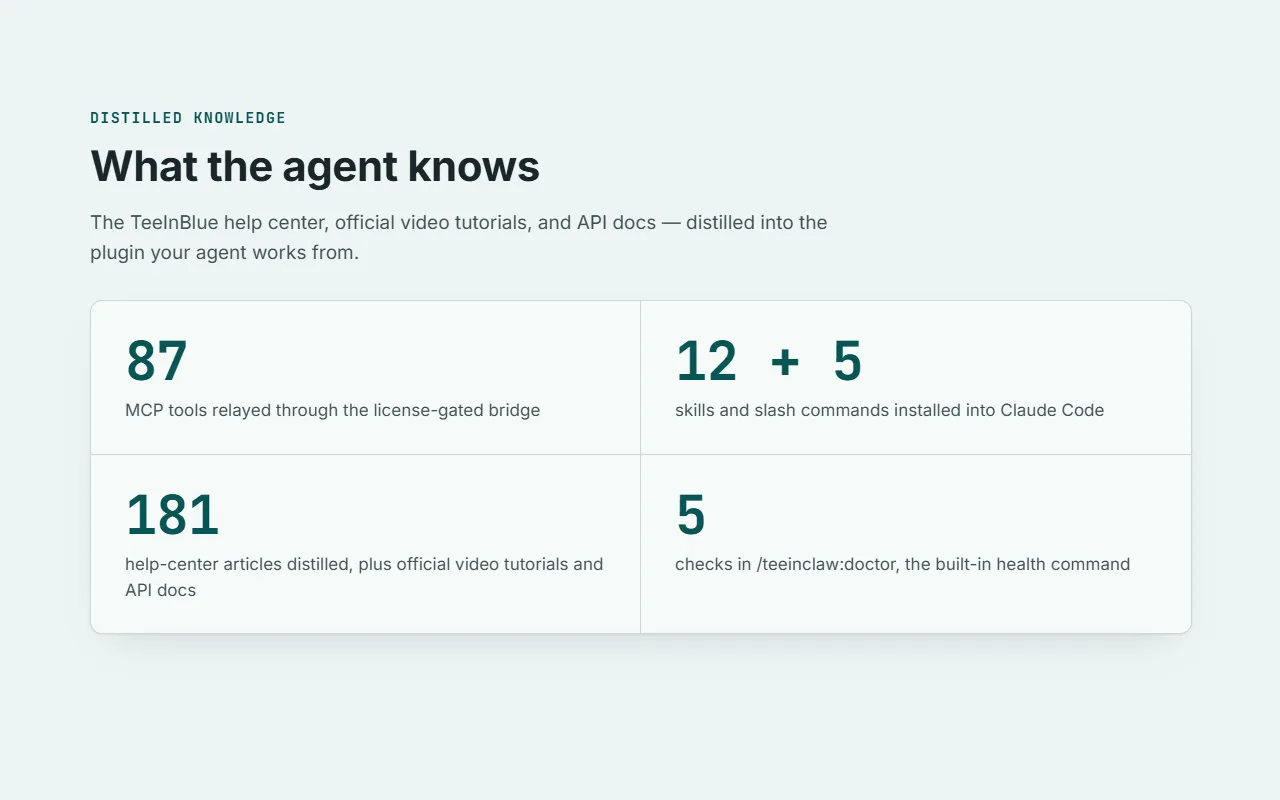
/teeinclaw:doctor confirms the install with five
checks.
Requires Claude Code v2.1.207 or newer. Node.js 20 or newer recommended; runs on Node 18.
Price
One price, paid once
Included
- The plugin, with updates delivered through the standard Claude Code marketplace update flow
- The distilled TeeInBlue knowledge base the agent works from
- Support via the repository's Bug report issue template
Licensed to one user on up to three activated machines. No redistribution or resale.
Answers
Common questions
My invitation expired, or I typed the wrong username
Invitations expire after 7 days. A nightly job re-invites expired invitations, so a fresh one arrives within about a day: accept it. If you mistyped the username at checkout, or nothing arrives, reply to your purchase email and support will sort it out.
What do I need to run it?
Claude Code v2.1.207 or newer and Node.js, 20 or newer recommended (it runs on Node 18 with an upgrade notice). You also need a TeeInBlue account and an API token created in the TeeInBlue portal.
How does installation work?
Accept the GitHub invitation, then run the two install commands under How it works. Finish with /plugin configure to set your license key and TeeInBlue API token, and run /teeinclaw:doctor to verify the connection.
Which machines does the license cover?
One user on up to three activated machines. The license validates against the Lemon Squeezy license API.
Is TeeInClaw affiliated with TeeInBlue or Anthropic?
No. TeeInClaw is an independent product. TeeInBlue is a trademark (pending registration) of its owner. Claude and Anthropic are trademarks of Anthropic PBC.
What if something breaks?
Run /teeinclaw:doctor. It checks license, bridge, endpoint, token, and a live smoke test, and every failing check prints a fix. Still stuck? Open an issue on the repository with the Bug report template and paste the doctor report.